~/write-ups/writeup-63c7d93542
Assessment Methodologies: Footprinting and Scanning CTF 1
Imported from Notion: Assessment Methodologies: Footprinting and Scanning CTF 1
Pistas
-
The server proudly announces its identity in every response. Look closely; you might find something unusual.
-
The gatekeeper’s instructions often reveal what should remain unseen. Don’t forget to read between the lines.
-
Anonymous access sometimes leads to forgotten treasures. Connect and explore the directory; you might stumble upon something valuable.
-
A well-named database can be quite revealing. Peek at the configurations to discover the hidden treasure.
Para la primera flag, basta con hacer un nmap y ver que output nos da.
nmap -sV -sC 192.154.8.3 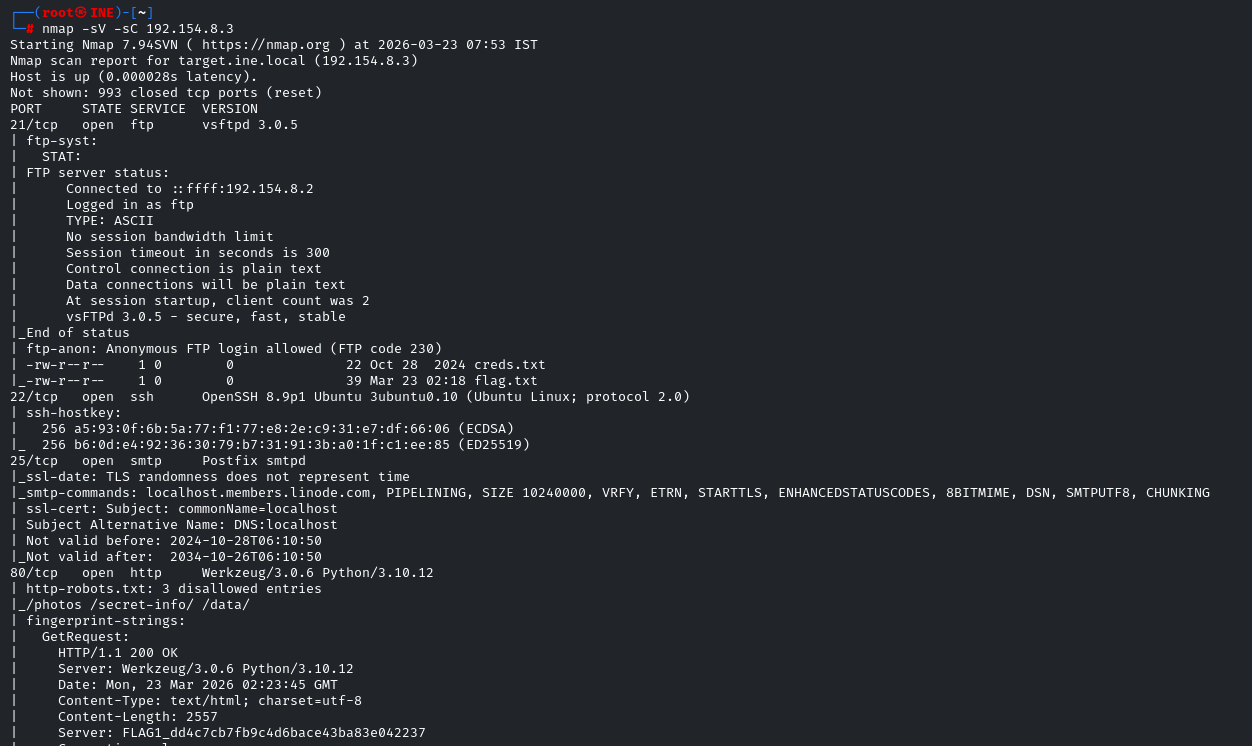
FLAG1_dd4c7cb7fb9c4d6bace43ba83e042237
Ahora vamos con la segunda flag, la pista habla del guardian y hemos visto el puerto 80 abierto, a si que vamos a ver que hay en robots.txt
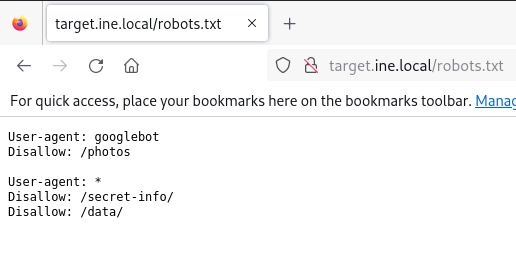
Vemos una ruta sospechosa llamada /secret-info/
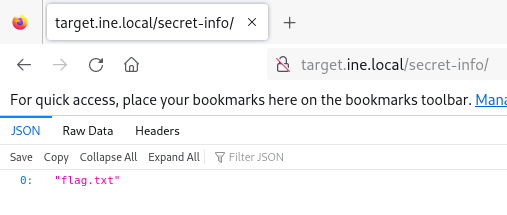
Contiene un archivo llamado flag.txt
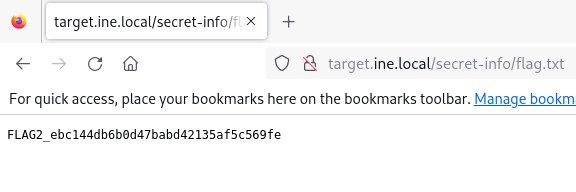
FLAG2_ebc144db6b0d47babd42135af5c569fe
La 3ª pista habla de log in anonimo y en el primer escaneo hemos podido ver que el protocolo ftp permite login anonimo:
ftp terget.ine.local-
user:
anonymous -
password:
anonymous
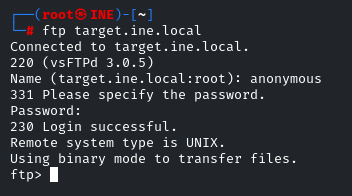
Listamos contenido y vemos flag.txt y creds.txt
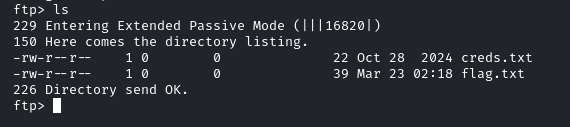
lo descargamos con el comando get para ver sus contenidos.
FLAG3_2e5769b9737b49af9a293b825ae0221d
En el archivo creds.txt hay unas credenciales que podemos suponer por la pista que son de la base de datos mysql
mysql -h target.ine.local -P 3306 -u db_admin -p"password@123" 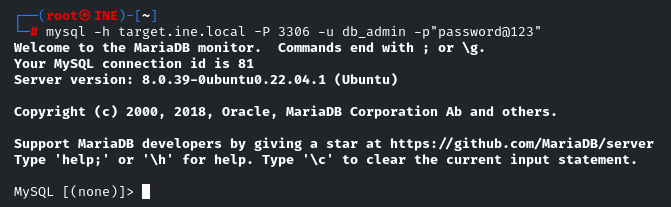
Listamos databases: SHOW databases;
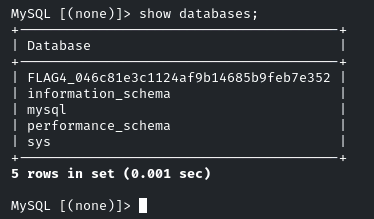
FLAG4_046c81e3c1124af9b14685b9feb7e352
- EOF -
<< back_to_index